4 Tips for Staying Safe When Shopping Online
Monday February 01, 2021
With the increasing push from brick and mortar retailers towards online outlets, significantly exacerbated by the global pandemic's restrictions, it is more important than ever to work to maintain your security when online shopping. Here are four tips for increasing your security when interacting with ecommerce.
4 Tips for Staying Safe When Shopping Online
With the increasing push from brick and mortar retailers towards online outlets, significantly exacerbated by the global pandemic's restrictions, it is more important than ever to work to maintain your security when online shopping. Here are four tips for increasing your security when interacting with ecommerce.
Research Is Key
When shopping online, brands like Amazon or Ikea demand a level of trust because they are very large and established conglomerates. They receive innumerable amounts of feedback from their customers, so users can reliably count on safe transactions. When conducting an online transaction with a smaller or lesser known website, researching their legitimacy is essential to protect yourself from scams. If you are purchasing from a website you’ve never used before, check out an independent seller review site like TrustPilot or ScamAdviser to check on other user reviews and make sure the site will follow through with the transaction.
Implement Virus Protection and Strong Passwords
Another step that can help keep you safe online is introducing virus protection software and the implementation of strong passwords. Anti-virus software can be a crucial component to staying safe while shopping online, as it can identify any potentially harmful software that a website is trying to impose and single it out for quarantine or deletion. There are many different options to choose from when it comes to virus protection, both paid and free, depending on your requirements.
Going hand in hand with virus protection is robust password usage. Users need to have strong and differing passwords between websites, making it much harder for a malicious party to access multiple accounts. Utilize a random password generator to create strong and reliable passwords, but these can sometimes be misplaced or forgotten, so make sure you have a backup of the password in a secure location. Some general password protection steps are to make your password longer (minimum of 8 to 10 characters), use capital and lowercase letters, use numbers, and use an additional non-numeric or alphabetic symbol such as @, $, or &.
Try to Avoid Public Wi-Fi
With public Wi-Fi networks, it is much easier for a hacker to take advantage of the network and steal unsuspecting users' information. Public Wi-Fi options without a secure password, something you may see at a mall, coffee shop, or restaurant, are not as safe as their private counterparts. With an unsecured network, information can potentially be accessed by malicious parties, making user data vulnerable when being shared over these networks. This is why it is always advised to use a private and secure Wi-Fi connection whenever making a transaction or doing something online that could leak personal information.
Consider a Virtual Private Network
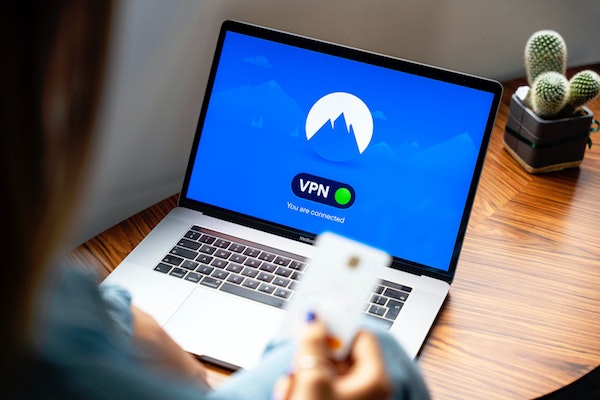
If you are using a public or unsecure network when shopping online, other methods can provide greater protection levels. An example of this would be by installing a Virtual Private Network, or VPN. When using a VPN over a traditional Wi-Fi connection, the user's data is rerouted through an encrypted channel when browsing the internet. With this method, the user's IP address is essentially disguised, making their location and information invisible and inaccessible to other users. This makes VPNs especially effective for protecting data and should be considered for any user serious about protecting themselves online.
There are many VPN options to choose from, but consider purchasing a VPN instead of downloading a free one as they will provide all necessary services for a minimal fee. With VPN services like Nord VPN or Express VPN, users can pay as little as a couple of dollars a month to access full VPN services.
As we move to an increasingly digital world, it’s never been more important to stay safe while browsing and shopping online. Implement some of the tips mentioned above and you’ll be on your way to a safer and more satisfactory online shopping experience.